Batteryman Micro-Cell vs Meklord Emperor Wisel
Đang so sánh: Quái thú · Yu-Gi-Oh! Làm lại từ đầu
| Tốt hơn ở chỉ số này | × 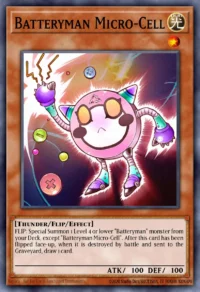 Batteryman Micro-CellQuái thú hiệu ứng (Effect) · Level 1 | +Thêm thẻ | |
|---|---|---|---|
| Loại thẻ | Quái thú hiệu ứng (Effect) | Quái thú hiệu ứng (Effect) | |
| Thuộc tính | Quang (LIGHT) | Ám (DARK) | |
| Chủng tộc | Thunder | Machine | |
| Cấp / Rank / Link | Level 1 | Level 1 | |
| ATK | 100 | 2.500 | |
| DEF | 100 | 2.500 | |
| Cách triệu hồi | Triệu hồi thường, không hiến tế | Triệu hồi thường, không hiến tế | |
| Archetype | Batteryman | Meklord | |
| Banlist TCG | Không giới hạn | Không giới hạn | |
| Banlist OCG | Không giới hạn | Không giới hạn | |
| Hiệu ứng | FLIP: Special Summon 1 Level 4 or lower "Batteryman" monster from your Deck, except "Batteryman Micro-Cell". After this card has been flipped face-up, when it is destroyed by battle and sent to the Graveyard, draw 1 card. | Cannot be Normal Summoned/Set. Must be Special Summoned by its own effect, and cannot be Special Summoned by other ways. When a face-up monster you control is destroyed by a card effect and sent to the Graveyard (except during the Damage Step): You can Special Summon this card from your hand. Other monsters you control cannot declare an attack. Once per turn: You can target 1 Synchro Monster your opponent controls; equip that target to this card. This card gains ATK equal to the combined ATK of the monsters equipped to it by this effect. Once per turn, during either player's turn, when your opponent activates a Spell Card: You can negate the activation, and if you do, destroy it. |
 Meklord Emperor Wisel
Lưu ý để so sánh công bằng
- ATK và DEF chưa tính hiệu ứng của thẻ; nhiều quái thú mạnh nhờ hiệu ứng chứ không nhờ chỉ số.